Attaching belt clip
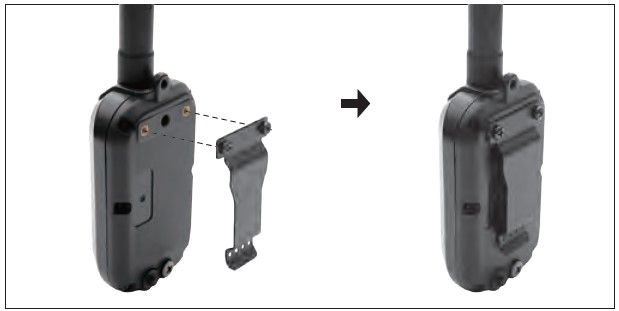
Follow the instructions below to attach the included belt clip to the GPS Connector:
- Align the belt clip to the grooves on the back of the GPS Connector.
- With a firm grip, screw on the belt clip’s Phillips head screws with a screwdriver.
Caution!
Tighten until firmly in place. Be careful not to over tighten.
Did it help ?
Didn't find what you were looking for? Try looking on the FAQ