Timer
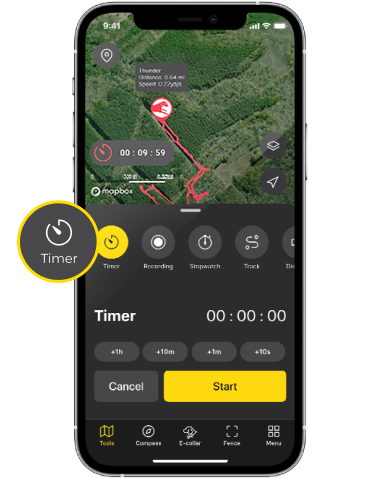
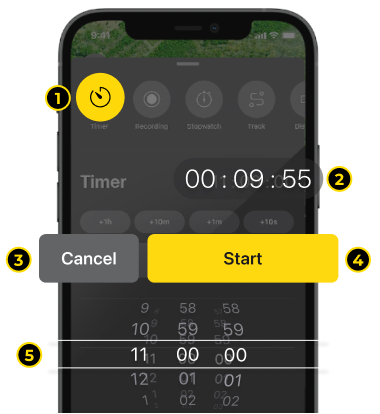
1. Timer:
Sets a timer that will sound an alarm at the end of a time interval, which will be visible on the map.
2. Countdown duration:
Displays the duration the timer will countdown in HOURS : MINUTES : SECONDS format. Once the countdown is complete, a notification window will appear and Timer Popup Window (#5) will blink in red.
3. Resets timer to zero countdown.
4. Starts / Pauses countdown.
5. Timer setting:
Sets the countdown duration (hours / minutes / seconds) and hit Apply to set the Timer. You have to hit Start (#4) to start the countdown. You must have the Timer stopped when setting the duration. You cannot change the countdown duration while Timer is active.
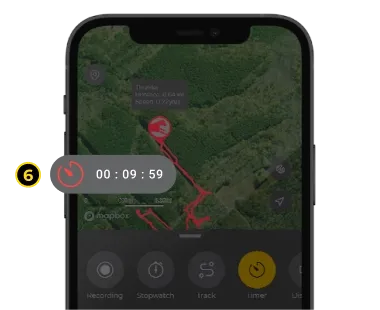
6. Timer Popup Window:
A mini popup window appears when countdown starts, disappears when countdown resets, or blinks when counting down pauses. Hit the popup window to bring up the Timer window.
Did it help ?
Didn't find what you were looking for? Try looking on the FAQ