Distance
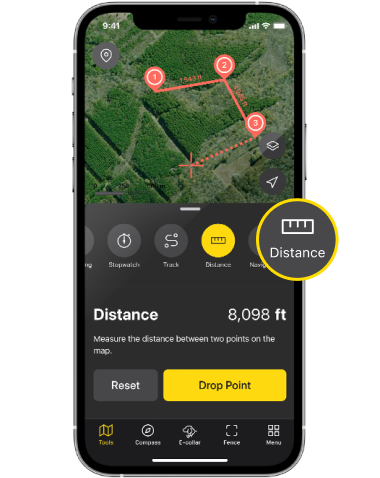
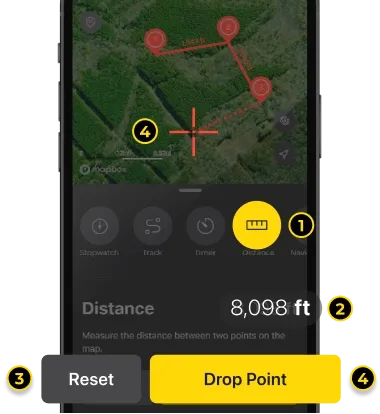
1. Distance:
Set custom points on the map to measure the total distance.
2. Measured total distance
3. Reset:
Removes all dropped points on the map to restart the measuring.
4. Drop Point:
The red crosshair target marker (#5) in the middle of the map is where you save the marker. Please move the map to pinpoint the location where you want to create the marker, and hit Drop Point button - You can drop up to 20 points. Distance shown on the map is the distance between two points. You cannot drop two points on the same location.
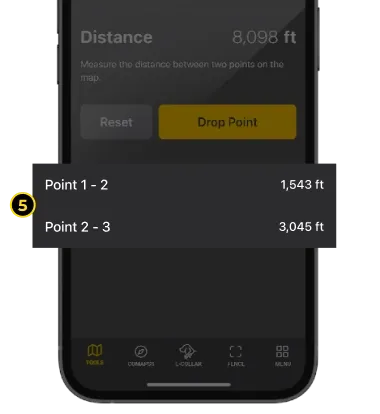
5. Distance list per each points:
Lists each distance between every two points.
Did it help ?
Didn't find what you were looking for? Try looking on the FAQ