Tools Tab Overview
To Learn More about the PATHFINDER2 Tools Tab: Click here
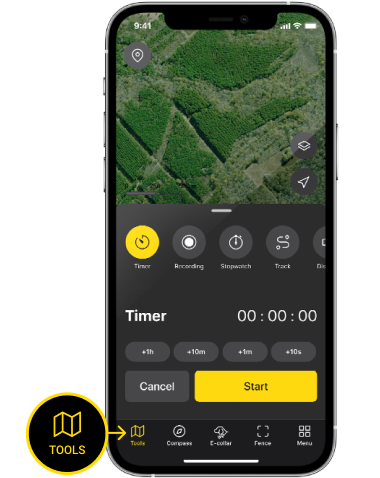
Hit TOOLS button on the Main Tab Bar on the bottom of the map screen to open the TOOLS window.
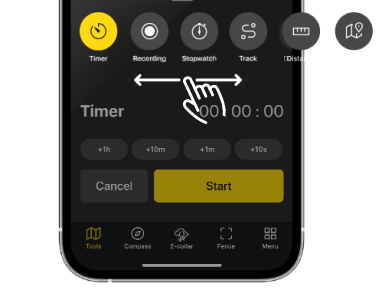
Scroll horizontally on the window to select among these tools: Recording, Stopwatch, Track, Timer, Distance, Navigation. Hit the map area or TOOLS button on the main tab bar to close the window.
Timer
Recording
Stopwatch

Track
Distance
Navigation
There are six features on the tab, which you can select by scrolling horizontally. Hit the map area to close the window.
To Learn More: Click here
Did it help ?
Didn't find what you were looking for? Try looking on the FAQ